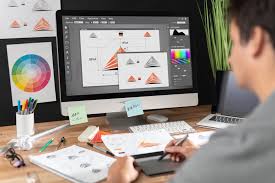
Graphic designers frequently convert JPG images to PDF format to ensure compatibility and ease of sharing. This article outlines the practical methods and tools commonly used in the design industry to perform this conversion effectively.

Discover how graphic designers convert JPG images to PDF using software, online tools, and system features for high-quality, professional results.
Graphic designers across the globe regularly convert JPG files to PDF (Portable Document Format) to meet client requirements, streamline workflows, and preserve image quality for printing or digital use. This process, fundamental in the design community, enables professionals to deliver content in a widely accepted and easily accessible format.
The conversion of JPG to PDF can occur through multiple platforms and software, each catering to different needs depending on project complexity, file size, and desired output quality. Graphic designers employ various strategies including software applications, online converters, and native operating system tools to accomplish these tasks efficiently.
Understanding JPG and PDF Formats
JPG or JPEG (Joint Photographic Experts Group) is a popular format known for compressing photographic images to reduce file size while retaining sufficient visual quality. Conversely, PDF is a versatile document format developed by Adobe that preserves layout, fonts, and images in a fixed format across different devices.
Why Convert JPG to PDF?
Converting JPG images to PDF provides several advantages. PDFs are convenient for packaging multiple images into a single document, enhancing professional presentation. They reduce file corruption risks and facilitate easy printing. Additionally, PDF files support encryption and digital signatures, which is beneficial for protecting design assets.
Methods Used by Graphic Designers
Software Solutions
Professional graphic designers often use software like Adobe Acrobat, Adobe Photoshop, and Illustrator to convert JPG to PDF. These programs allow control over image resolution, compression rate, and layout settings.
For example, in Adobe Photoshop, a designer can open a JPG image and select the ‘Save As’ or ‘Export’ option to choose PDF as the output format. This method maintains high-quality images suitable for printing or digital display.
Online Converters
Web-based tools such as Smallpdf, ILovePDF, and JPG2PDF offer quick and accessible ways to convert images without installing software. Designers can upload JPG files, customize settings if necessary, and download the resultant PDF.
Operating System Features
Both Windows and macOS include native capabilities to convert JPG images to PDF without third-party applications. On Windows, users can select the image, choose ‘Print,’ and select ‘Microsoft Print to PDF’ to save it as PDF. On a Mac, Preview app offers a similar function by opening the JPG and exporting it as a PDF.
Practical Tips for Quality Conversion
Graphic designers recommend checking resolution and color profiles before conversion to avoid loss of quality. It is also common practice to optimize PDF file size to balance image clarity with ease of sharing, especially via email or online platforms.
Anticipating client needs and final use cases assists designers in selecting the appropriate method and settings for JPG to PDF conversion. For example, files destined for print require higher resolution PDFs compared to those meant for web viewing.
In summary, converting JPG images to PDF is a routine yet essential step in graphic design workflows. By utilizing a combination of professional software, online tools, and built-in system features, designers efficiently produce high-quality PDFs that serve various professional purposes, enhancing document portability and presentation integrity.